
How Link Previews Are Built, Platform by Platform
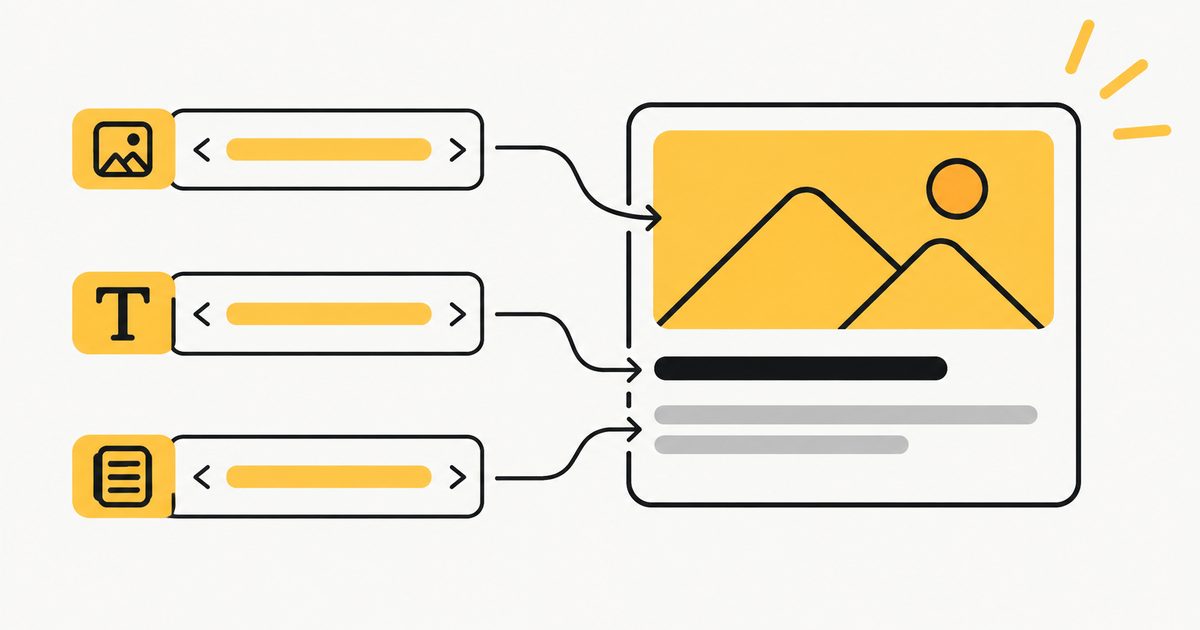
A shared link becomes a card because the receiving app fetched the page, read a handful of meta tags, and drew what it found. This page is the handful of tags, the image rules, and the reasons a card comes out wrong. The checker shows the result; the generator writes the tags.
The Tags That Matter
| Tag | What it is | Read by |
|---|---|---|
| og:title | The card's headline. Falls back to the title element. | Everyone (X via fallback) |
| og:description | The line under the headline. Falls back to the meta description. | Facebook, LinkedIn, Slack, Discord, X (fallback) |
| og:image | The picture. Absolute https URL, JPEG, PNG or WebP. | Everyone |
| og:url | The canonical share URL; Facebook groups shares by it. | Facebook, LinkedIn |
| og:site_name | The brand shown above or below the title. | Facebook, Slack, Discord |
| og:type | website, article, product, profile. | Facebook, LinkedIn |
| og:image:width / height | The image size, so Facebook can lay out the first share before fetching the file. | |
| og:image:alt | Description of the image for screen readers. | X, Mastodon |
| twitter:card | summary_large_image (wide) or summary (thumbnail). Without it X uses summary. | X |
| twitter:site / creator | The @accounts to attribute the card to. | X |
| theme-color | The colour of the bar on the left of the embed. | Discord |
Everything else in the Open Graph vocabulary (article:author, og:locale, og:video and the rest) is read by some platforms in some cases and ignored by the rest. Get the eleven above right first.
How Each Platform Draws Its Card
X
Reads twitter:card to pick the layout, then twitter:title, twitter:description and twitter:image, falling back to the og:* equivalents. summary_large_image shows the image full width with the title overlaid at the bottom and the domain below; summary shows a square thumbnail on the left with title and description beside it. A large card wants a 2:1 image of at least 300 by 157 pixels and under 5 MB; a summary card wants a square of at least 144 by 144. Titles are cut around 70 characters, descriptions at 200.
Reads og:* only. The image is cropped to 1.91:1 and shown full width when it is at least 600 pixels wide; smaller images become a thumbnail beside the text. Below 200 by 200 it is not shown at all, and above 8 MB it is not fetched. The title is cut around 88 characters, the description after about two lines. On the first share of a brand new URL, Facebook has not yet fetched the image and shows a text card unless og:image:width and og:image:height are declared.
Reads og:*, prefers a 1200 by 627 image at 1.91:1, and shows title, domain and (in some surfaces) the description. It caches aggressively; the Post Inspector is the only reliable way to refresh.
Discord
Reads og:* plus theme-color for the coloured bar on the left of the embed. If twitter:card is summary_large_image (or absent), the image goes below the text full width; if it is summary, the image becomes a small thumbnail on the right. Titles up to 256 characters, descriptions up to 350.
Slack
Reads og:*. Shows the site name in bold, the title as a link, the description, and the image below. Slack also honours oEmbed for some sites, which is why YouTube links play inline. Unfurls are cached per workspace; a query string on the URL forces a fresh fetch.
iMessage
Reads og:title and og:image (or, failing that, the apple-touch-icon) and shows the title and the domain. Descriptions are not shown. iMessage is also the fussiest about image weight and slow servers: a heavy og:image on a slow host means a bare link bubble.
Reads none of it. Search results use the title element and the meta description, and the checker draws a Google result alongside the cards so the two are not confused.
The Image Rules, Once
- 1200 by 630 pixels (1.91:1) fits every platform without cropping the important part. Keep text and faces in the middle 80 percent.
- JPEG, PNG or WebP. SVG is rejected everywhere; GIF shows its first frame.
- Under a megabyte, ideally under 300 KB. X refuses over 5 MB, Facebook over 8 MB, and slow fetches time out on the smaller platforms.
- Absolute https URL. Relative paths do not work; http:// images do not load on https pages.
- One image per page unless you want Facebook to offer a choice. Multiple og:image tags are read as a list.
- Declare width and height so the first share on Facebook is laid out correctly.
When the Fix Does Not Show Up
Every platform caches the page it saw the first time a link was shared, for hours to weeks. Fixing the tags does not change a card that has already been cached. To force a re-fetch: Facebook's Sharing Debugger (paste the URL, click "Scrape again"; it also lists any errors the crawler hit), LinkedIn's Post Inspector, and for X, Slack, Discord and iMessage, which have no refresh tool, share the URL with a harmless query string added (?v=2) so it is a new URL to their cache. The checker on this site fetches live every time and is the way to confirm the page now sends the right tags before you go clearing caches.
Questions People Ask About Link Previews
What are Open Graph tags?
Open Graph tags are meta tags in the head of a page (og:title, og:description, og:image, og:url and a few more) that tell Facebook, LinkedIn, Slack, Discord, iMessage and most other apps what to show when someone shares the link. Without them the app guesses from the page, usually badly.
What size should an og:image be?
1200 by 630 pixels, in JPEG, PNG or WebP, under about a megabyte. That ratio (1.91:1) fits Facebook and LinkedIn without cropping and is close enough to the 2:1 that X uses for large cards. Anything under 600 pixels wide is shown as a small thumbnail on Facebook, and SVG is not rendered anywhere.
Why does my link preview show the wrong image?
Either the page has no og:image and the platform picked one from the body, or the platform cached an older version of the page. Add or fix og:image, then clear the cache with the Facebook Sharing Debugger, the LinkedIn Post Inspector, or by appending a query string to the URL for platforms without a refresh tool.
Do I need both og:title and twitter:title?
No. X falls back to og:title, og:description and og:image when the twitter: versions are missing. The only Twitter tags worth adding are twitter:card, which picks the layout, and twitter:site or twitter:creator for attribution.
How do I refresh a link preview after fixing the tags?
Facebook: Sharing Debugger, click "Scrape again". LinkedIn: Post Inspector. X: the Card Validator was retired, but a fresh post picks up changes within a few minutes. Slack, Discord and iMessage cache per link; add ?v=2 to the URL to force a new fetch.
Why is the preview fine on Slack but broken on X?
X reads twitter:card first. Without it, X falls back to a small summary card with a square thumbnail even when og:image is a wide banner. Add twitter:card with the value summary_large_image.